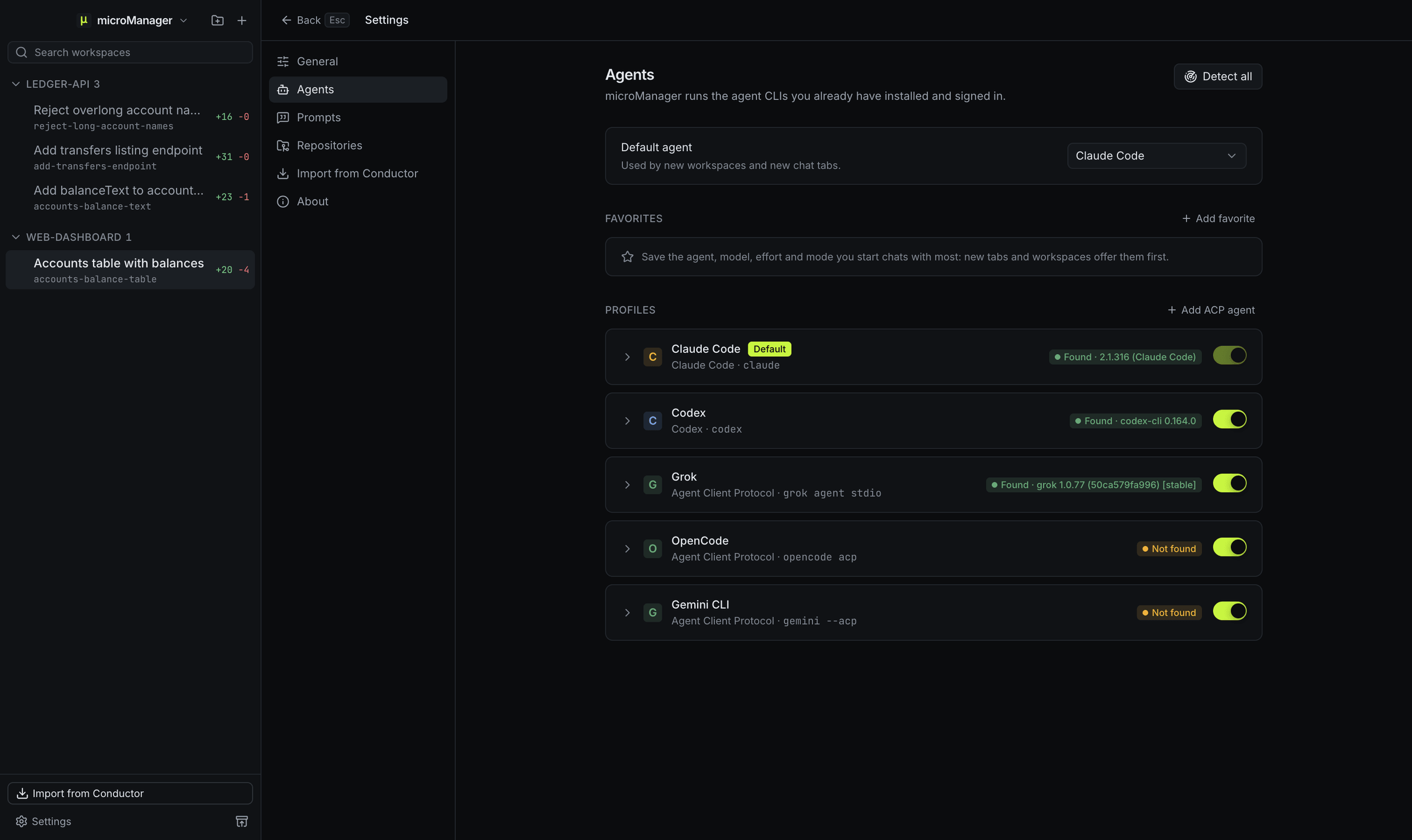
Which ACP agents are built in?
| Agent | Command microManager runs |
|---|---|
| Grok Build | grok agent stdio |
| OpenCode | opencode acp |
| Gemini CLI | gemini --acp |
Each runs the CLI you installed and signed in to. If a command is somewhere unusual, set its absolute path in Settings → Agents.
What works with ACP agents?
- Chat: streamed replies and the agent’s thinking.
- Tool calls: shown as cards, with file edits as diffs.
- Plans: the agent’s plan appears as a to-do list above the message box while it works.
- Permissions: when the agent asks before acting, a card offers the agent’s own choices. Whether it asks is up to the agent’s own settings; microManager answers for you in Bypass permissions, and for file edits in Accept edits.
- Models: picked at the bottom of the message box, when the agent lists them over ACP.
- Modes: an agent whose own modes have the ids
default,acceptEdits,planandbypassPermissions, as Claude Code’s ACP adapter does, switches with the mode picker. Plan is offered only when the agent has aplanmode, and Auto never is. - Slash commands: the agent’s own commands pass straight through.
- Resuming: when the agent supports loading sessions, a chat continues the same agent session after a restart.
- microManager’s MCP tools: every ACP agent gets the micromanager server, over HTTP when the agent supports it or through a stdio bridge when it does not, so it can ask you questions, read the workspace diff and leave review comments.
Everything else, from worktrees and checkpoints to diff review and pull requests, is the same for every agent.
How do I add another ACP agent?
In Settings → Agents, choose Add ACP agent. Enter a name, the command that starts the agent in ACP mode and any arguments, then add environment variables or models in its profile if it needs them. It joins the agent picker for new workspaces and chats. Google’s Antigravity CLI, for example, is the command agy with the argument acp.
What can an ACP agent touch on my computer?
Through the protocol, microManager lets an agent read and write text files only inside its workspace, and does not lend it a terminal. The agent process itself still runs as your user with its own tools and permission rules, as it would in your terminal.