Why does each agent need its own worktree?
Agents edit files, run builds and start servers. Two of them in one checkout step on each other: one agent’s half-finished edit breaks the other’s tests, and both try to start a dev server on the same port. Separate clones avoid that but are slow to make and keep separate copies of the history. A git worktree is the middle path: a separate folder and branch per task, sharing one .git object store.
What does microManager set up for each worktree?
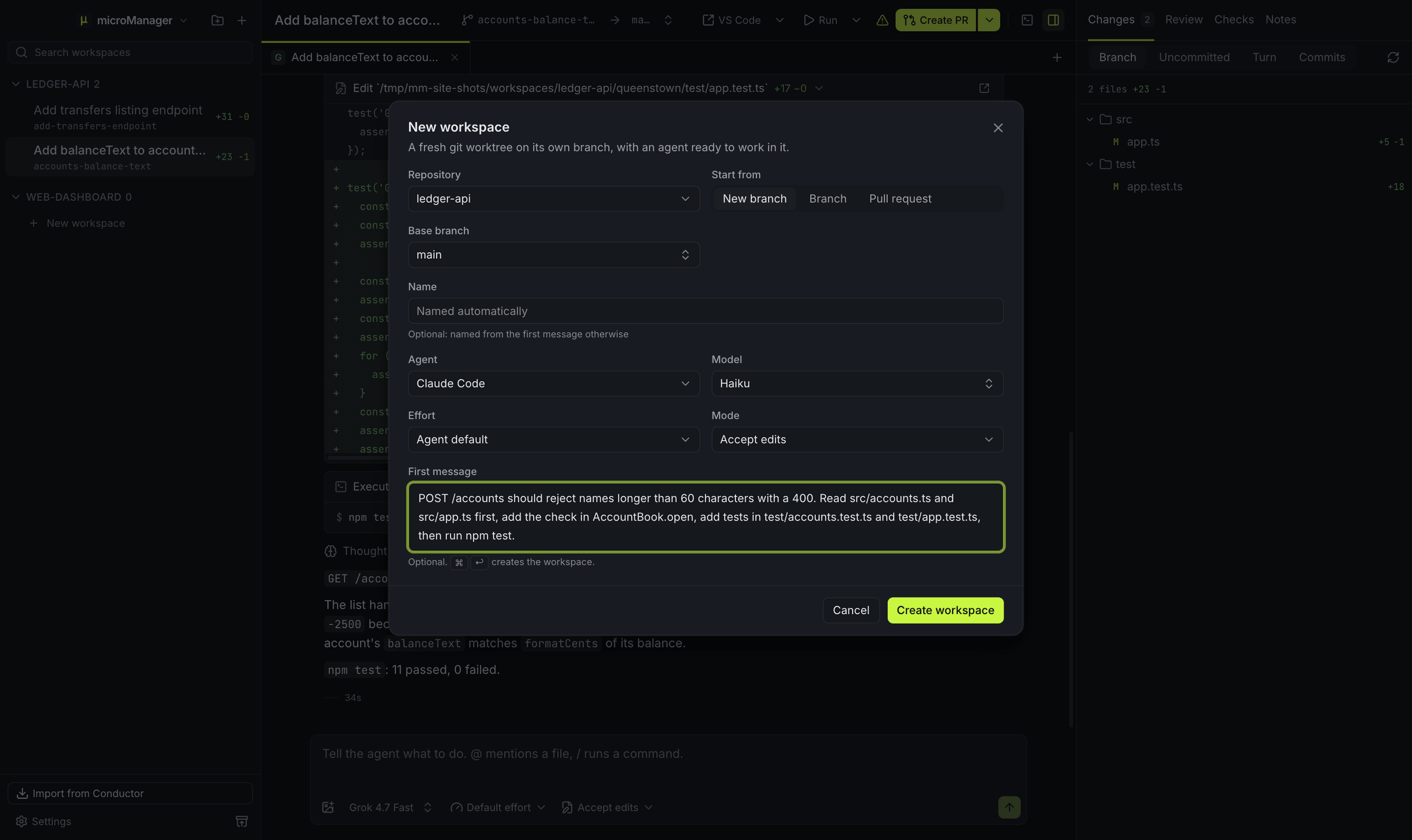
| Step | What happens |
|---|---|
| Branch | A new branch from the base you pick, named after a city (<prefix>/lisbon) and renamed after your first message unless you turn that off |
| Worktree | git worktree add into ~/micromanager/workspaces/<repository>/<city> |
| Ignored files | .env and other ignored files copied in from your main checkout |
| Ports | Ten ports reserved, the first in MICROMANAGER_PORT |
| Setup | Your setup script runs in a terminal you can watch |
| Shared notes | A .context/ folder git ignores, for notes agents share |
Details are in the workspaces docs.
How are ignored files handled?
A fresh worktree only has committed files. microManager copies the rest from your main checkout using .worktreeinclude, or file_include_globs from your repository settings, or .env* by default, and it never overwrites a file that already exists. See files to copy.
How do ports work when several dev servers run?
Each workspace gets ten ports of its own, starting at a multiple of 10 from 51000 up. Start servers on $MICROMANAGER_PORT (or $CONDUCTOR_PORT in scripts written for Conductor) and every workspace can run its dev server at the same time. See environment variables.
What happens to the worktree when I am done?
Archiving runs your archive script, saves any uncommitted work as a hidden git commit, removes the worktree folder and keeps the branch, so the disk space comes back and only ignored files such as node_modules are gone. You can restore an archived workspace later, at the same path, on the same branch, with its uncommitted work back in place.
Does this work with the worktrees Conductor made?
Yes. Importing from Conductor registers each existing worktree where it already is, on its existing branch. Nothing is moved, copied or rewritten.