Press facts

microManager is a free app for macOS, Windows and Linux that runs several coding agents at once, each in its own git worktree, and imports workspaces from Conductor. Below are the facts, ready-to-use descriptions, and the logo.

Updated

What are the key facts?

Name microManager (lowercase m, capital M)
What it is A free app for macOS, Windows and Linux that runs coding agents in parallel, each in its own git worktree.
Platforms macOS 13 or later (Apple Silicon and Intel), Windows x64 and Linux x64
Price Free; no account, no paid tier
Agents Claude Code, Codex, Grok Build, OpenCode, Gemini CLI and any Agent Client Protocol agent
Compatibility Reads Conductor’s repository settings files, sets CONDUCTOR_* environment variables and, on a Mac, imports Conductor workspaces read-only
Privacy Local-first: no telemetry, and code and chats never leave the computer except through the user’s own agents
Install Downloads for every system at https://micromanager.win/install; on macOS and Linux also curl -fsSL https://micromanager.win/install.sh | sh, on Windows irm https://micromanager.win/install.ps1 | iex
Website https://micromanager.win
Press contact press@micromanager.win

How should microManager be described?

In one sentence: A free app for macOS, Windows and Linux that runs coding agents in parallel, each in its own git worktree.

Short: microManager is a free app for macOS, Windows and Linux for running coding agents in parallel. Each task gets its own git worktree, and Claude Code, Codex, Grok Build, OpenCode, Gemini CLI or any ACP agent works in it while you review diffs and ship pull requests from one window.

Long: microManager is a free app for macOS, Windows and Linux for running coding agents in parallel. Each task gets its own git worktree, and Claude Code, Codex, Grok Build, OpenCode, Gemini CLI or any ACP agent works in it while you review diffs and ship pull requests from one window. It runs the agent CLIs developers already have installed and signed in, keeps everything on the user’s own computer with no account or telemetry, and imports workspaces from Conductor, whose Mac app stopped taking new users when Meta acquired it on 4 November 2026.

Please describe microManager as running “the Claude Code (or Codex) you already have installed and signed in”, not as a Conductor or Meta product. microManager is independent and is not affiliated with, endorsed by, or sponsored by Conductor, its maker, or Meta. Conductor is a trademark of its owner.

Where are the logo and colors?

The mark is a Greek mu, for micro, in a rounded square: micromanager-mark.svg. The colors are graphite #17181A and electric lime #C8F542; the typeface is Archivo (SIL Open Font License).

Are there screenshots?

Yes. These are screenshots of the whole window of the running app on a Mac, working in demo repositories with real agents, in the dark theme except the first-run screen. Each links to a full-size PNG. Please use them as they are, and do not illustrate microManager with mock-ups or images of other apps.
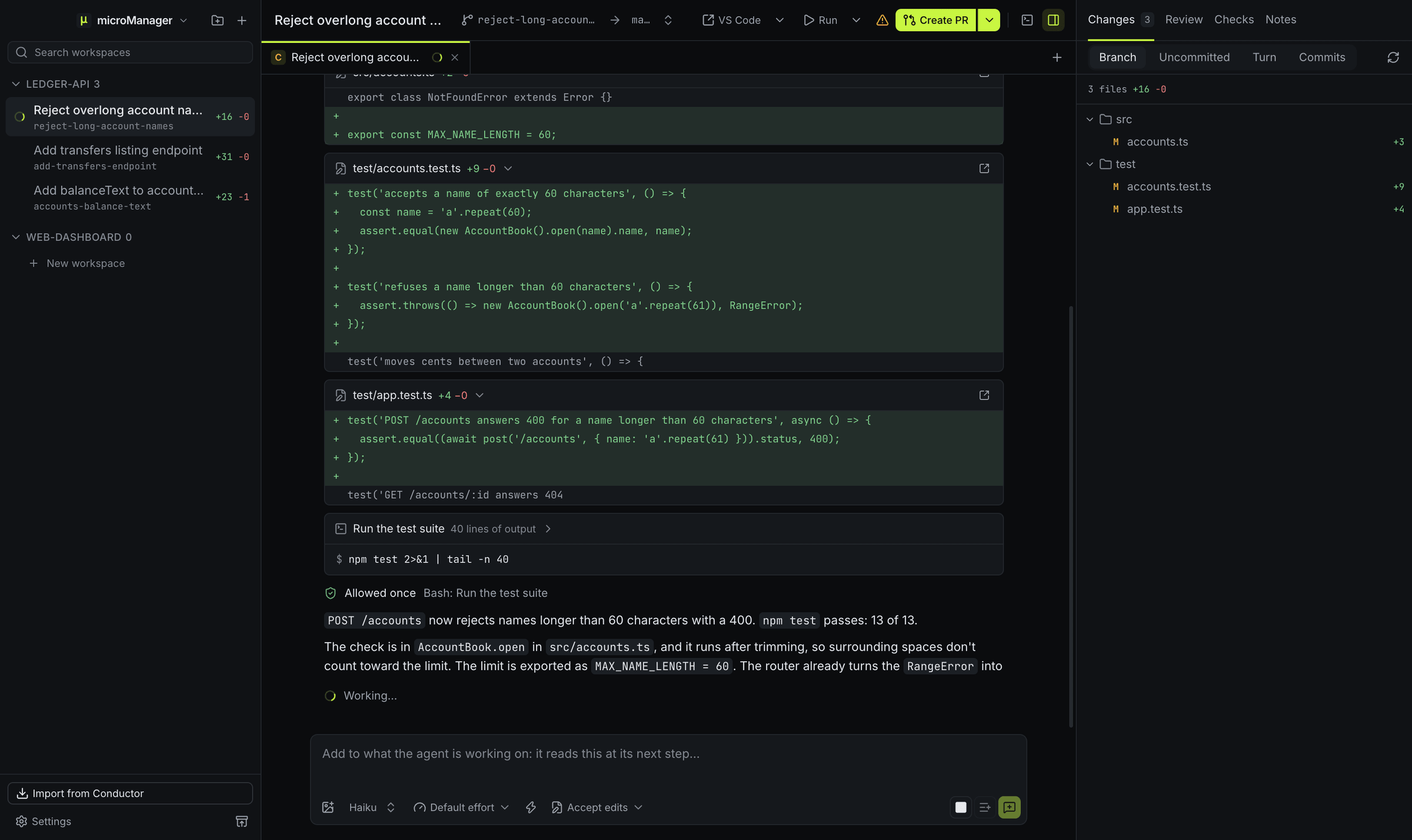
A microManager window while Claude Code, on Haiku, works in the workspace Reject overlong account names: edit cards showing its changes to test/accounts.test.ts and test/app.test.ts as diffs, a Run the test suite card that was allowed once, and its reply still streaming above a Working… line. The sidebar lists two more ledger-api workspaces, and the Changes panel lists three changed files.
Claude Code in the middle of a turn: each edit shows as a diff, the test run it asked for was allowed once, and its reply is still streaming. Codex and Grok each work in another workspace. Full-size PNG, 2400×1428
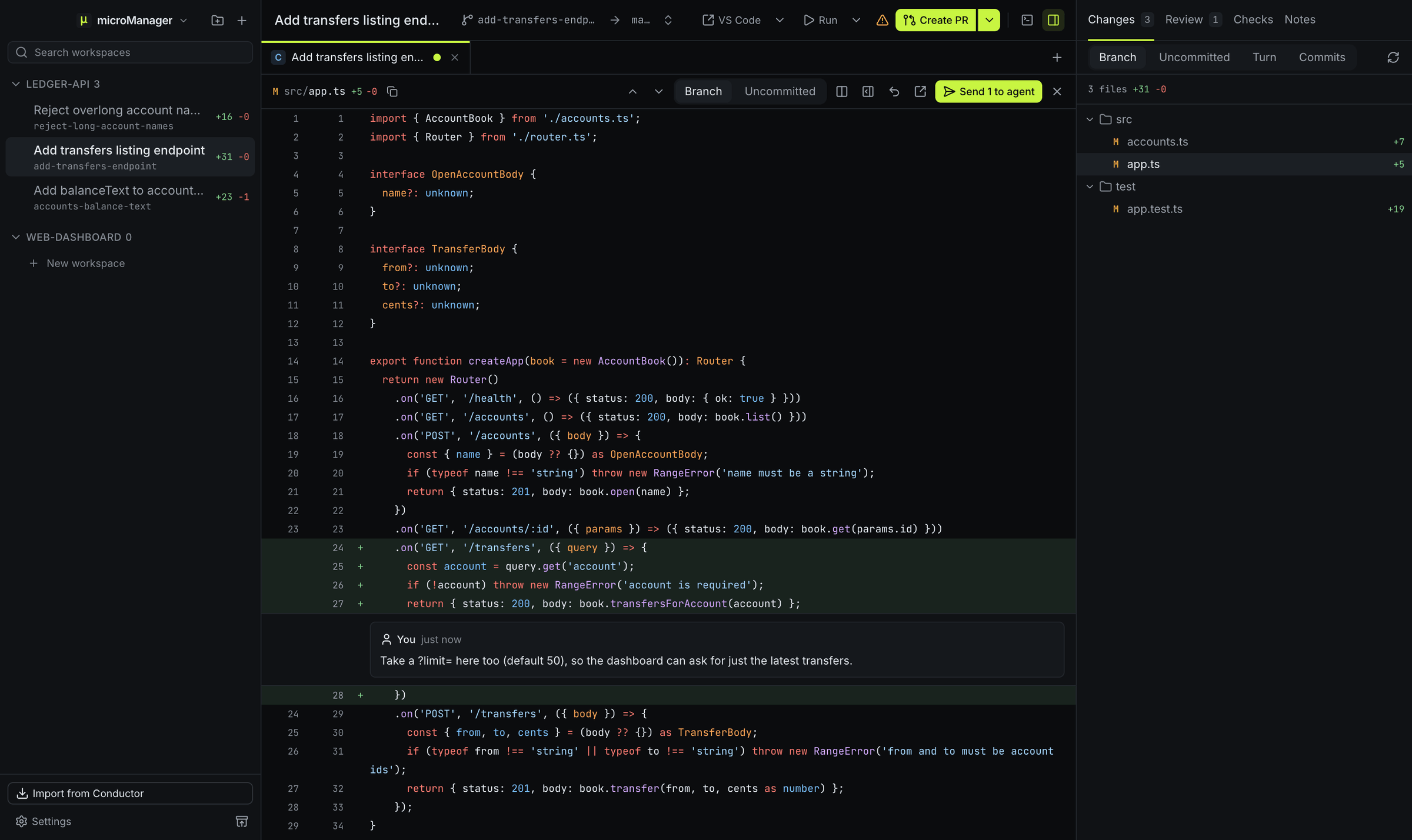
The diff of src/app.ts in the Branch view, with the new GET /transfers route highlighted and a line comment under it asking for a ?limit= parameter, a Send 1 to agent button, and the Changes panel listing accounts.ts, app.ts and app.test.ts with the lines each added.
Comment on lines of a diff, then send the comments to the agent. Full-size PNG, 2400×1428
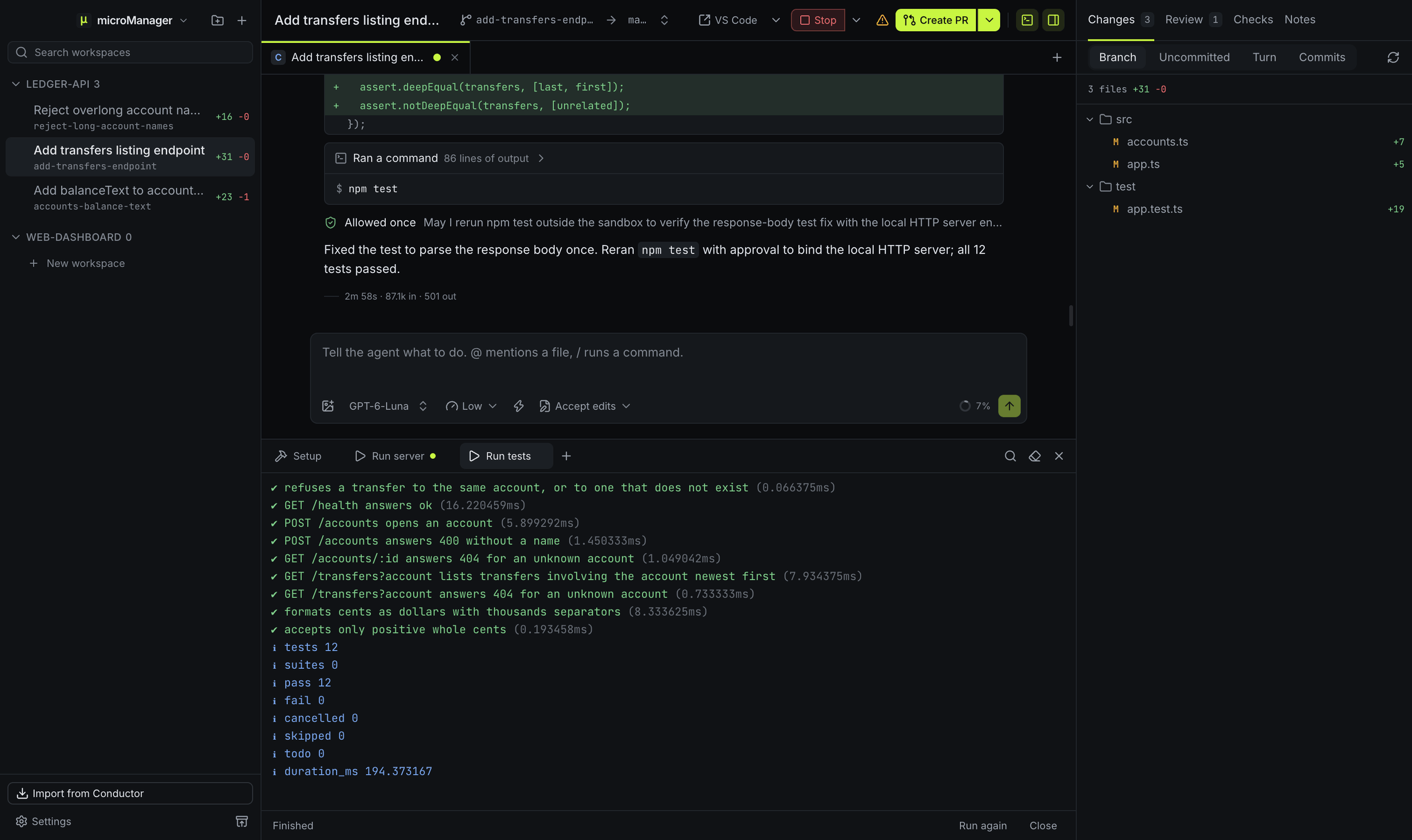
A Codex chat on GPT-6-Luna ending with all 12 tests passing after the npm test runs it was allowed once outside its sandbox, above the terminal drawer with Setup, Run server (still running) and Run tests tabs, Run tests showing each passing test and the totals.
Codex in its own workspace, with the server and the tests started as run scripts in the terminal drawer. Full-size PNG, 2400×1428
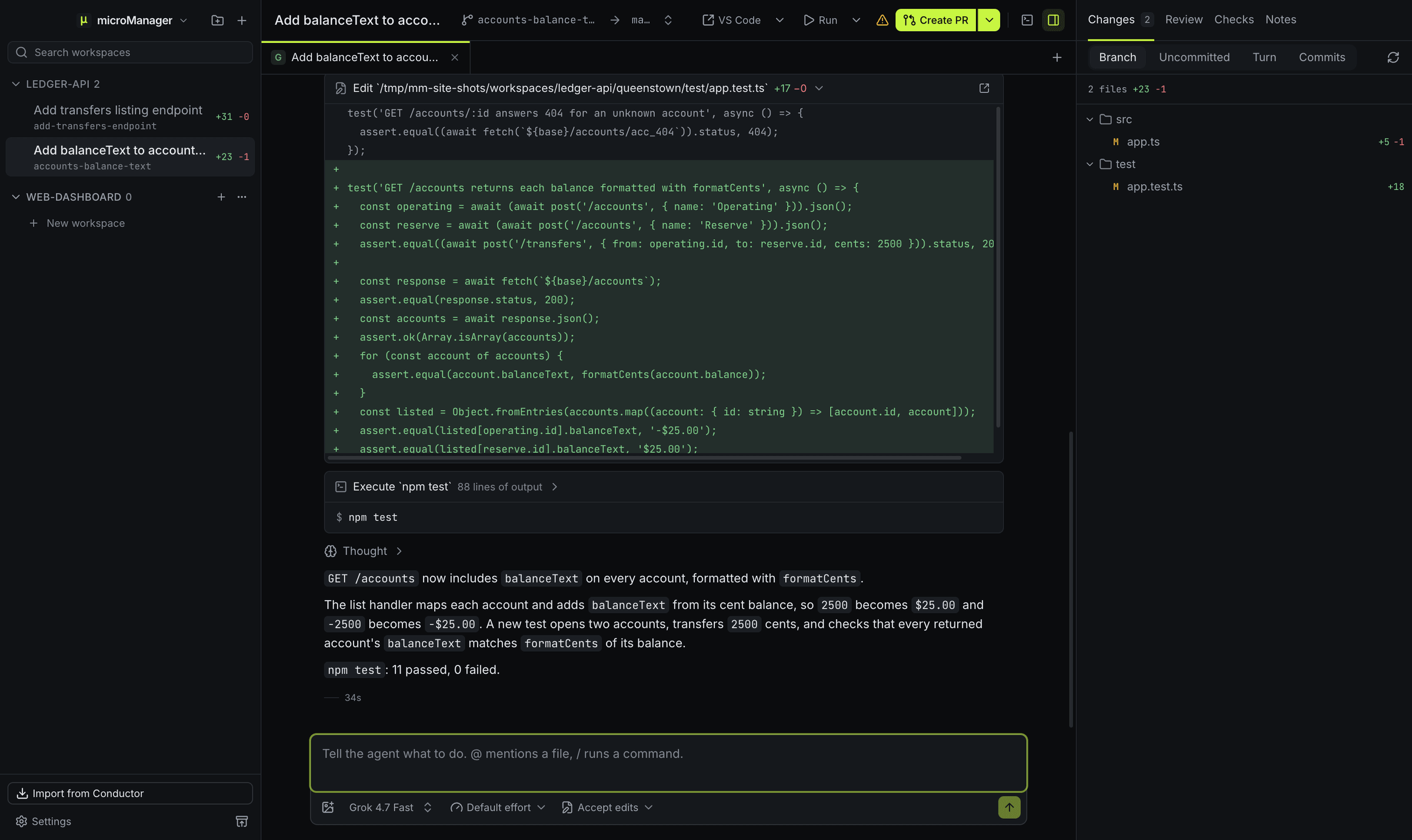
A Grok chat on Grok 4.7 Fast in the workspace Add balanceText to accounts route: an edit card showing the test it added to test/app.test.ts as a diff, an Execute npm test card, a folded Thought, and its summary ending with npm test: 11 passed, 0 failed.
Grok Build over ACP: its edits show as diffs, its commands as cards, and its thinking folds away. Full-size PNG, 2400×1428
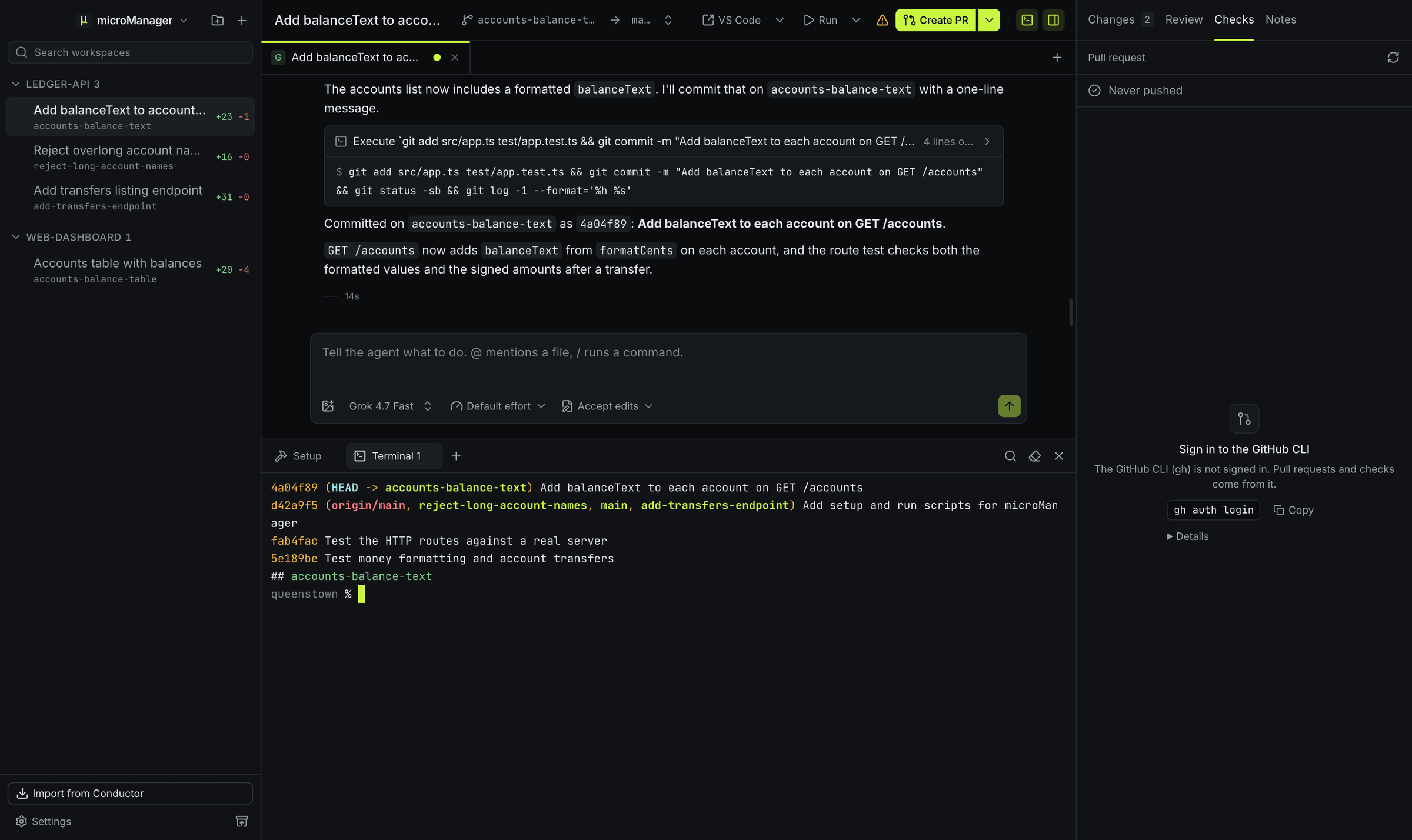
A Grok chat that committed its work as Add balanceText to each account on GET /accounts, a terminal showing that commit on accounts-balance-text with no upstream, and the Checks panel saying the branch was never pushed and that the GitHub CLI is not signed in, with gh auth login to copy.
Before there is a pull request, the Checks panel shows what the branch still needs: here a first push and a signed-in GitHub CLI. Full-size PNG, 2400×1428
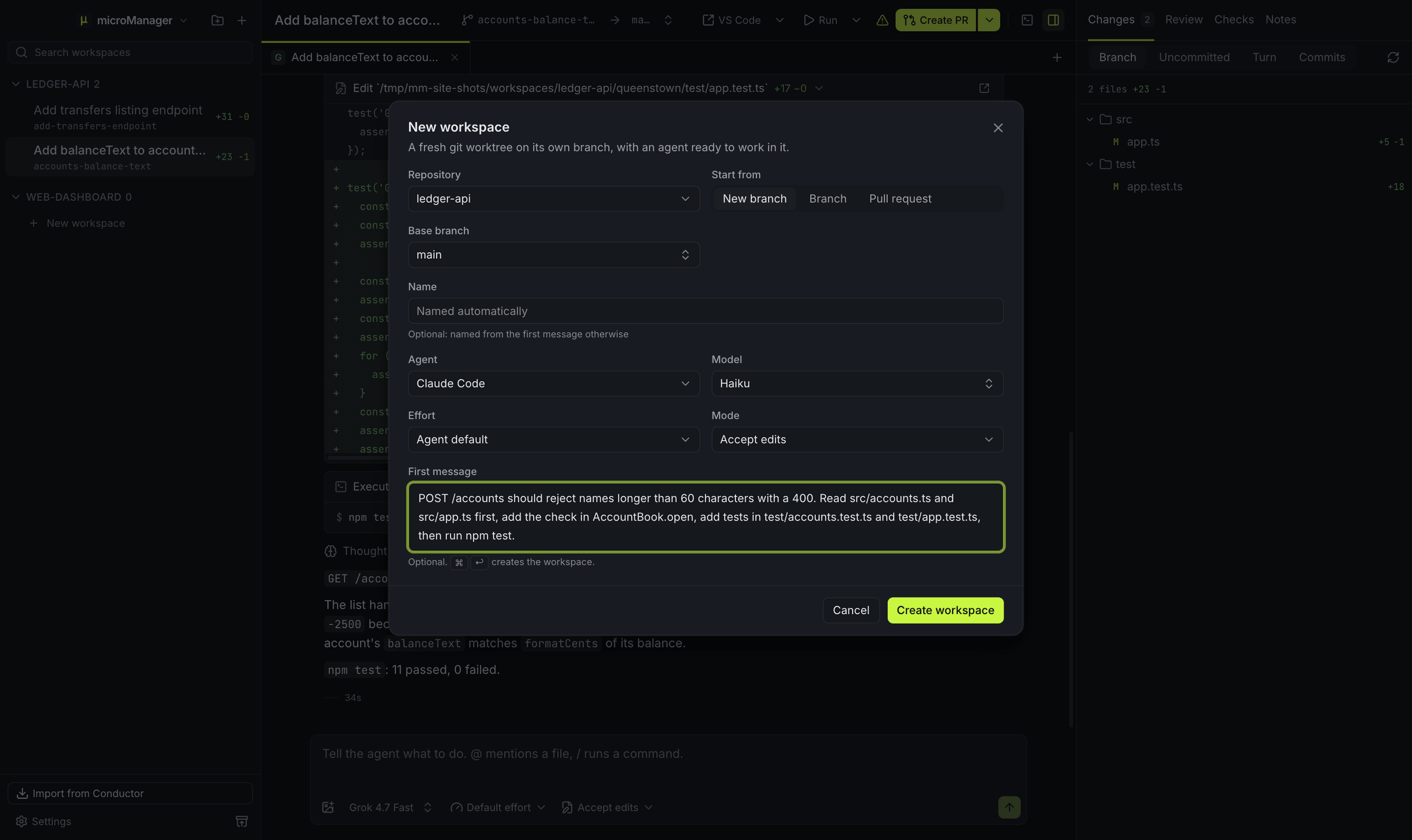
The New workspace dialog over the app: repository ledger-api, a new branch from main, a name to be set from the first message, agent Claude Code, model Haiku, effort Agent default, mode Accept edits, and a first message asking it to reject account names longer than 60 characters.
A new workspace is a git worktree on its own branch, with an agent ready to work in it. Full-size PNG, 2400×1428
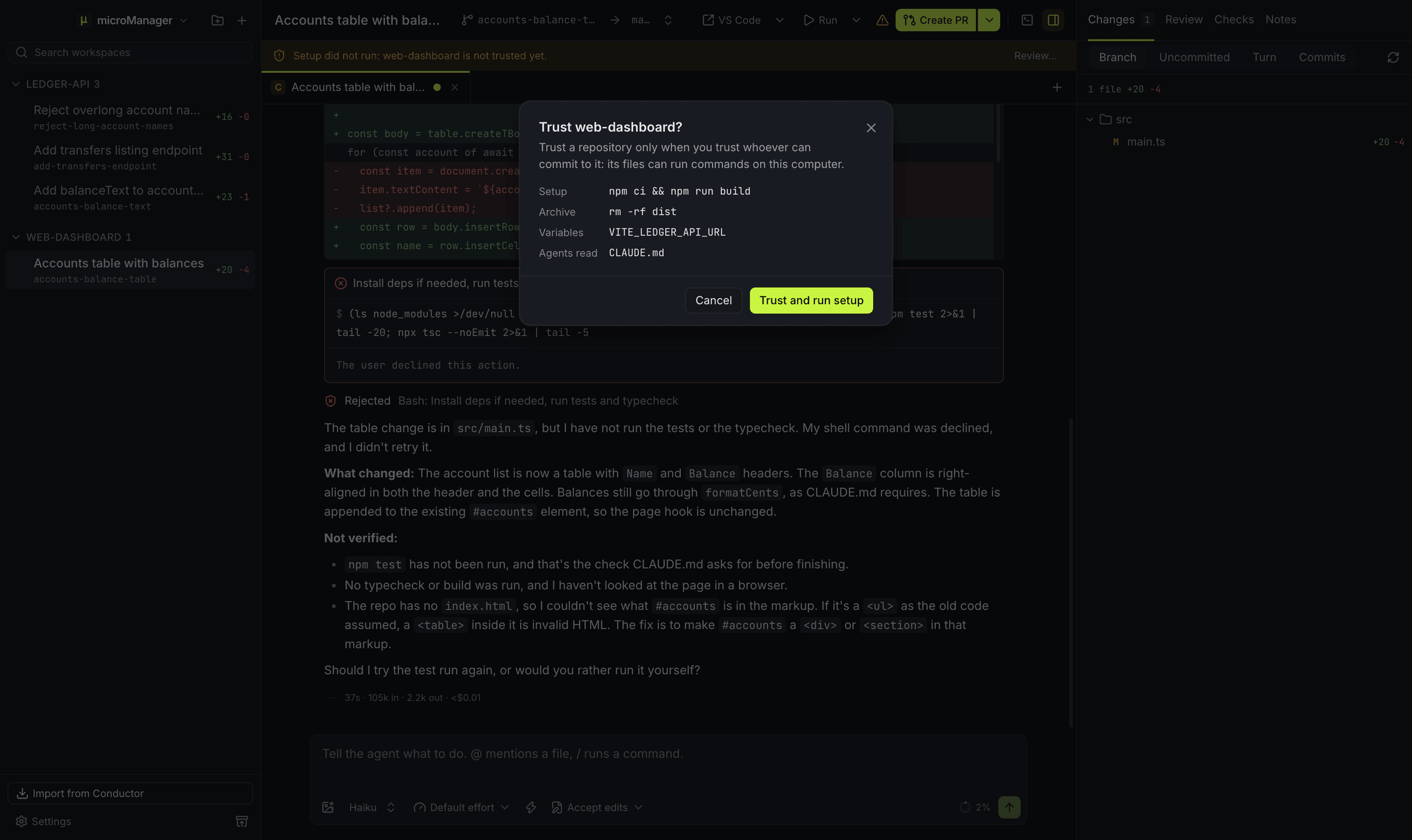
A web-dashboard workspace whose bar says Setup did not run: web-dashboard is not trusted yet, under the Trust web-dashboard? dialog its Review… button opens, which lists the setup and archive scripts, the VITE_LEDGER_API_URL variable and the CLAUDE.md agents would read, with Cancel and Trust and run setup buttons.
A repository’s own scripts, variables and agent files wait until you trust it, and Review… lists what trusting turns on. Full-size PNG, 2400×1428
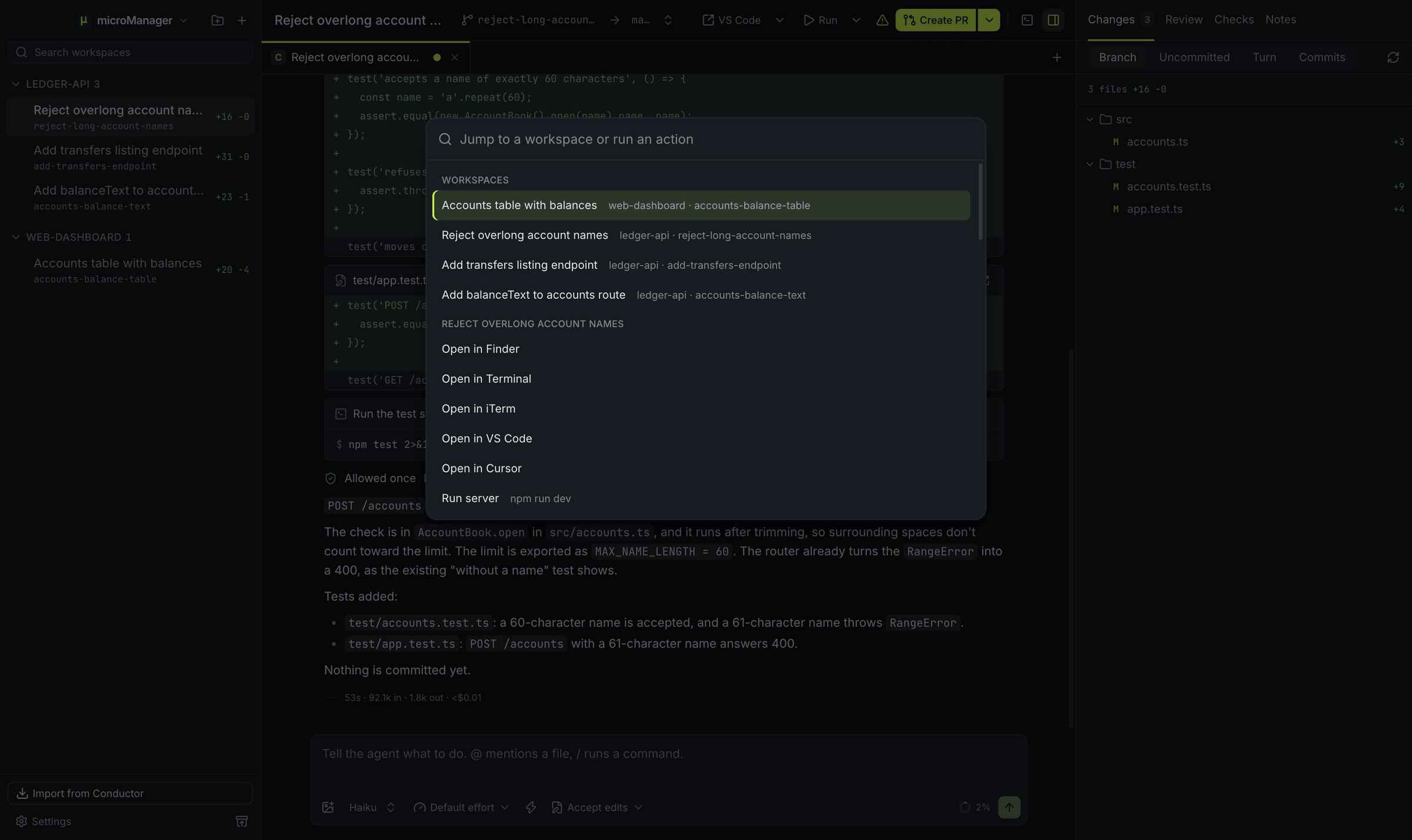
The command palette over a workspace: a search box reading Jump to a workspace or run an action, the four workspaces with their repository and branch, then actions for the workspace on screen such as Open in Finder, Open in VS Code and Run server.
⌘K (Ctrl+K on Windows and Linux) jumps to any workspace or runs an action on the one you are in. Full-size PNG, 2400×1428
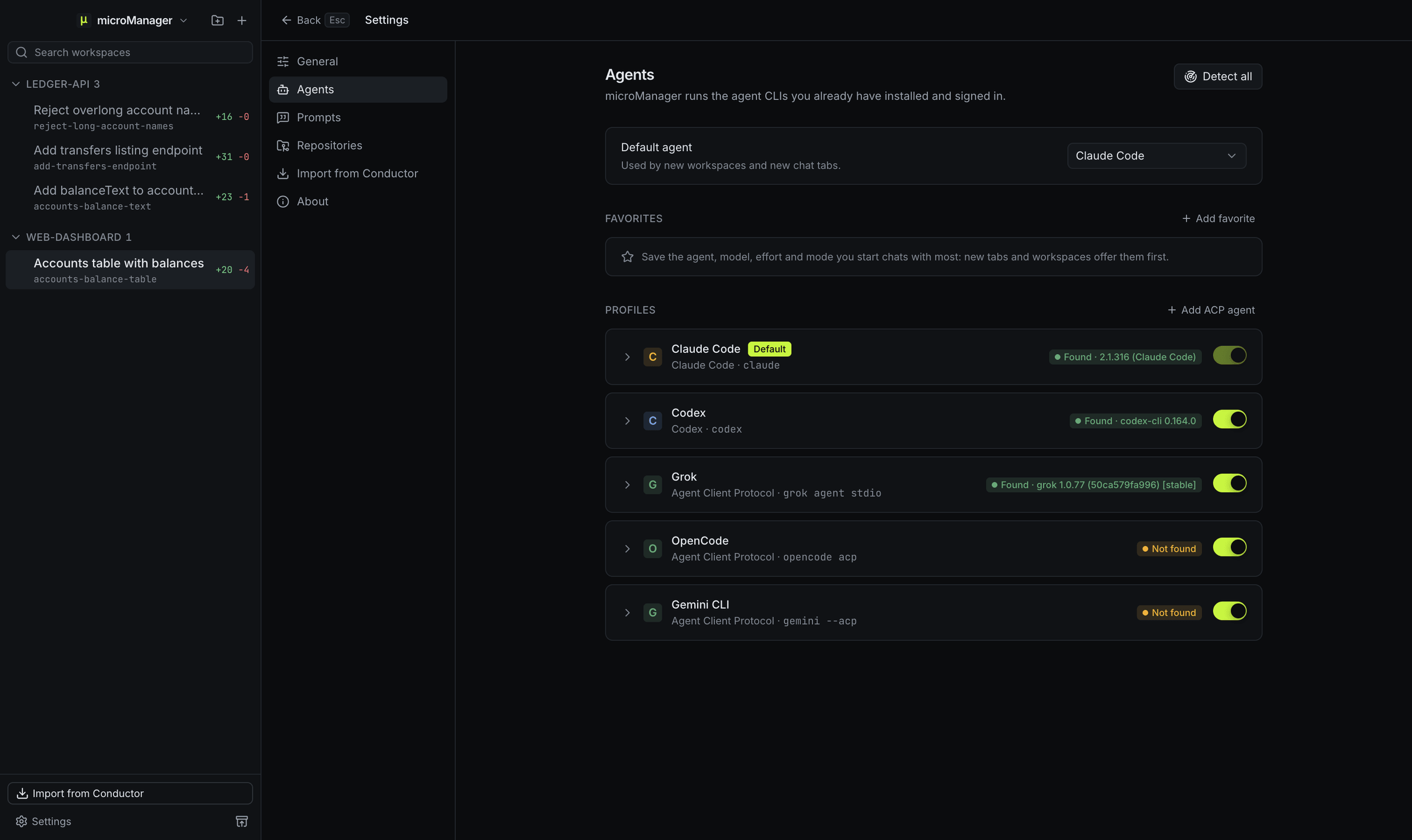
Settings, Agents: the default agent set to Claude Code, an empty Favorites list with Add favorite, and the profiles Claude Code, Codex and Grok found with their versions and OpenCode and Gemini CLI not found, with Detect all and Add ACP agent buttons.
Settings → Agents shows which agent CLIs microManager found and their versions. Full-size PNG, 2400×1428
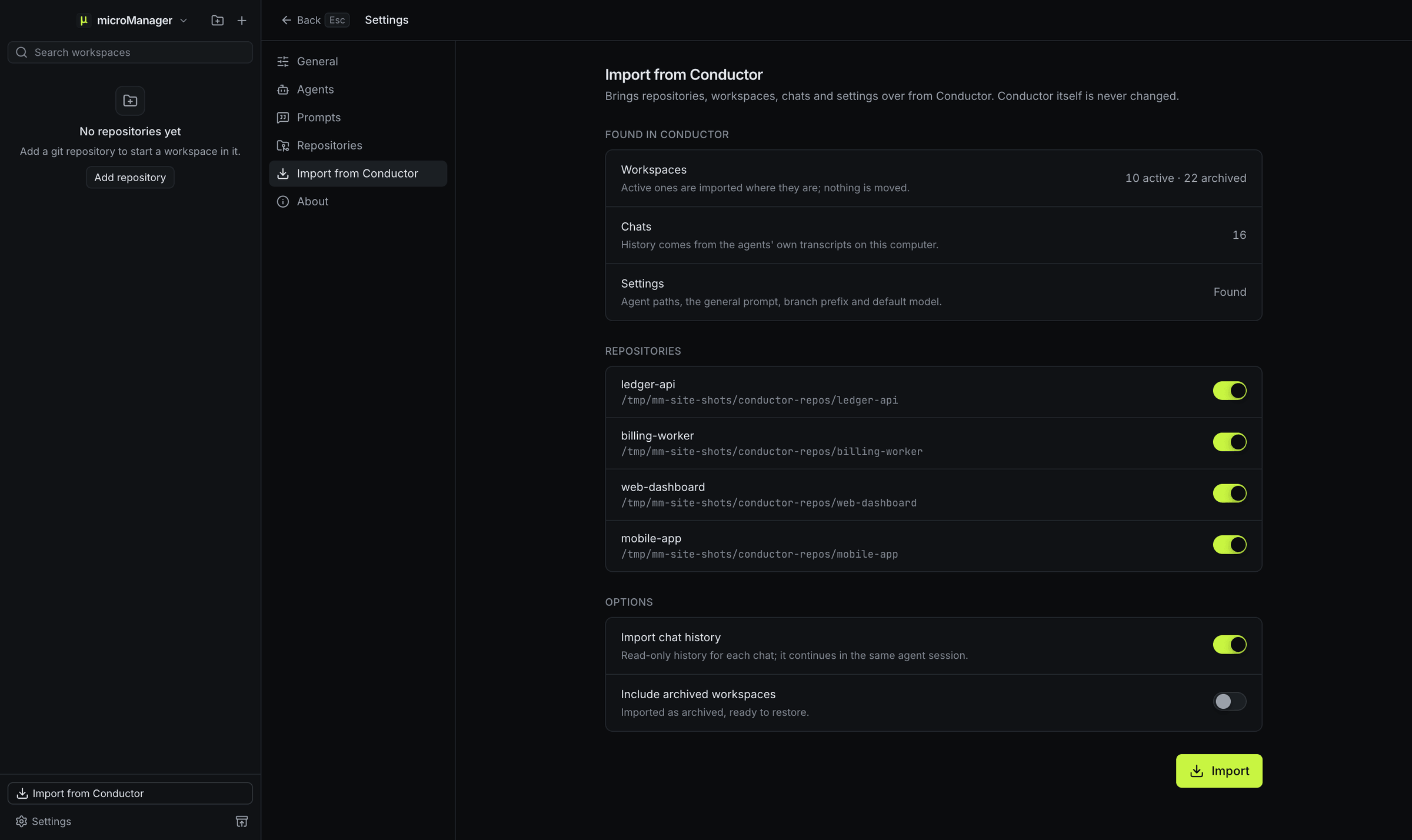
Settings, Import from Conductor: 10 active and 22 archived workspaces, 16 chats and settings found, four repositories to choose from, and switches for chat history and archived workspaces.
The Conductor import preview, here with demo Conductor data. Conductor’s own data is only read. Full-size PNG, 2400×1428
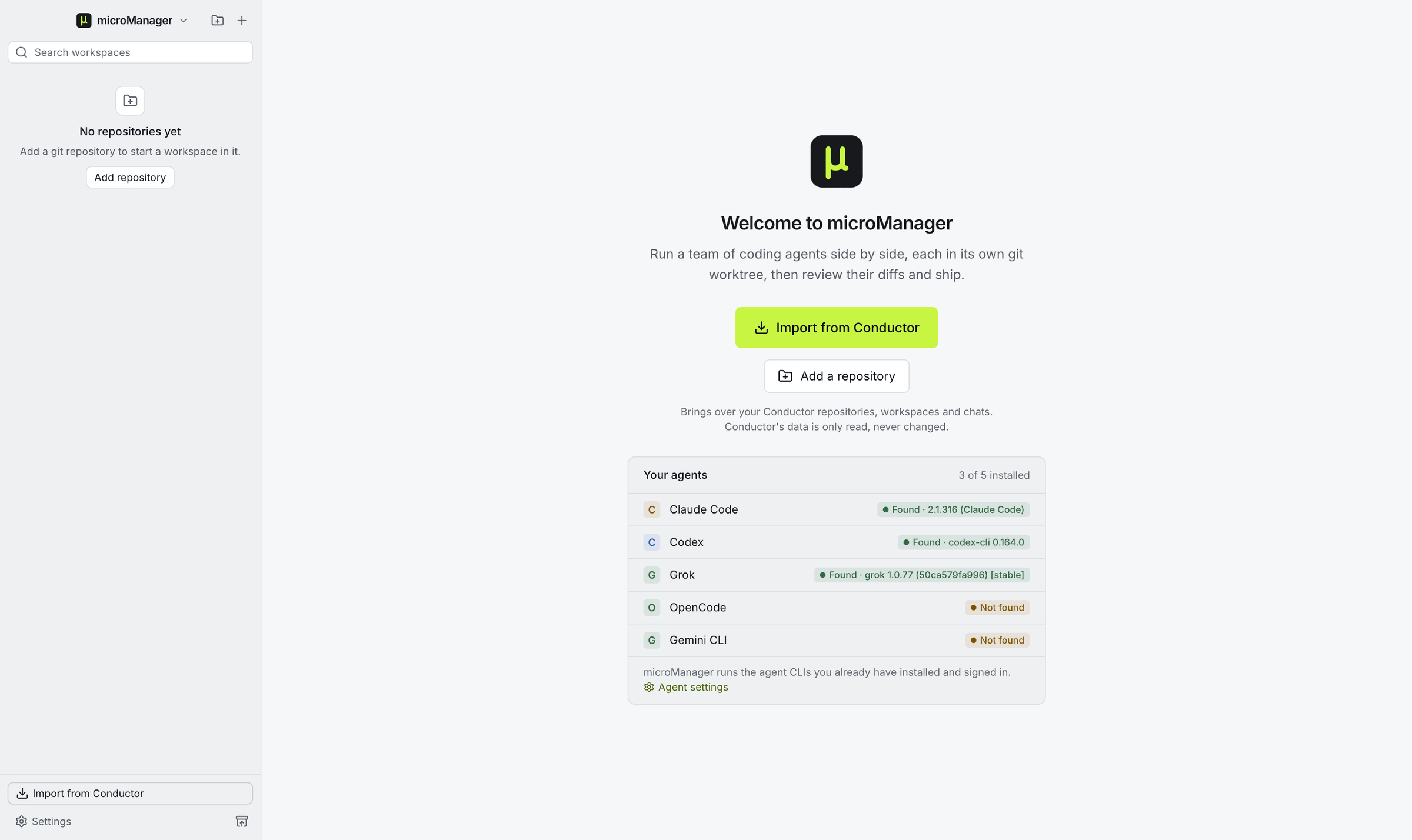
The first-run screen in the light theme: Welcome to microManager, buttons for Import from Conductor and Add a repository, and the agents it found, 3 of 5 installed.
The first run offers the Conductor import and lists the agents it found. Full-size PNG, 2400×1428