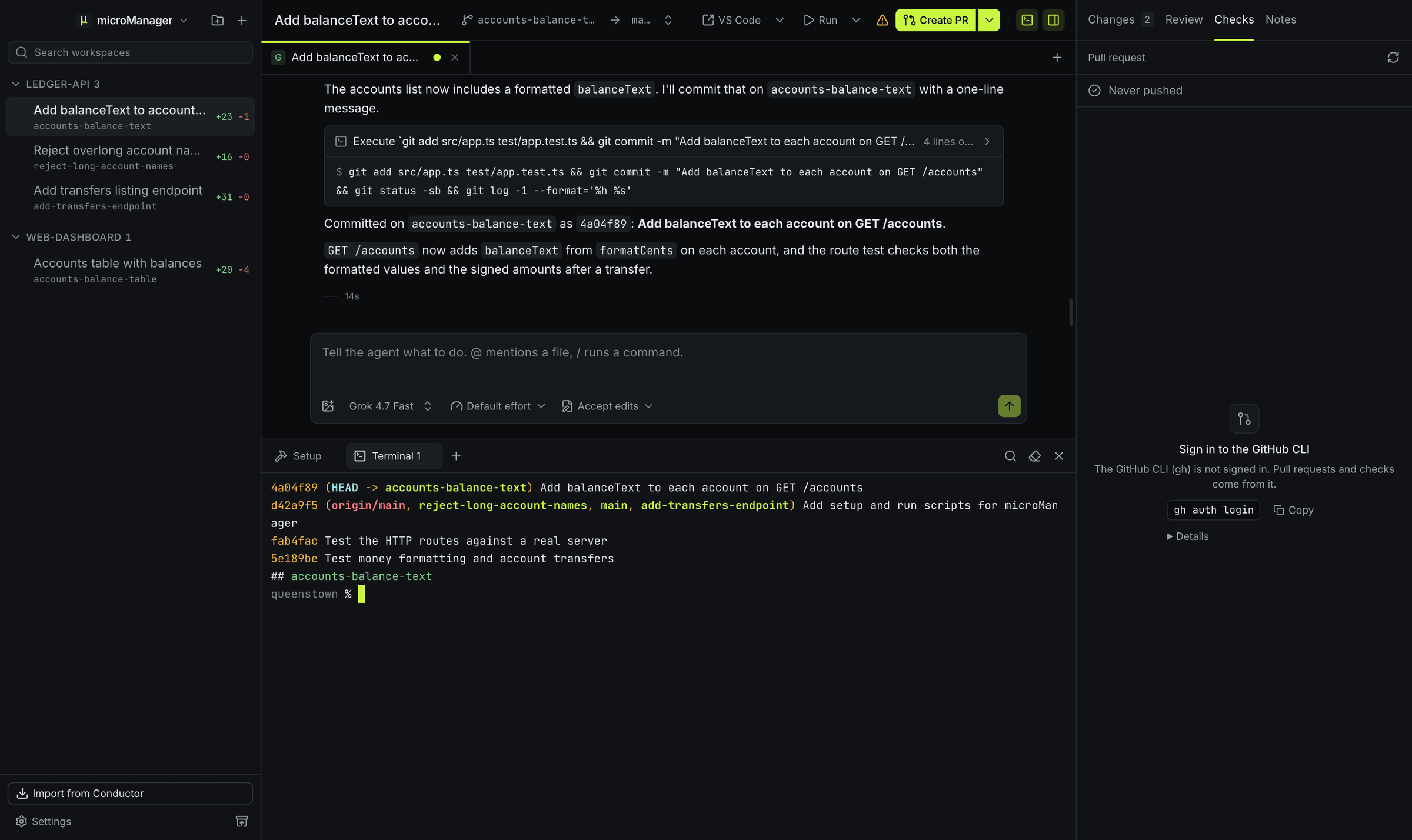
How does Create PR work?
Create PR sends the agent in the current chat a prompt asking it to commit the work, push the branch and run gh pr create against the workspace’s target branch. Because the agent wrote the code, it can write a meaningful title and description. The prompt is yours to change in Settings → Prompts.
How do I follow CI and reviews?
Once a pull request exists for the workspace’s branch, the header’s pull request button shows its number and state, and the Checks panel lists every check with its status and a link, plus whether the pull request can be merged and its review decision. microManager refreshes this every minute for the workspace you have open and every five minutes for the others, and the sidebar badge shows its number, colored by its checks while it is open, or Draft, Merged or Closed.
When checks fail, ask the agent to fix them; the fix-errors prompt in Settings → Prompts is there for that.
How do I merge?
Merge…, in the pull request button’s menu, runs gh pr merge once you confirm the method: Squash and merge, Create a merge commit or Rebase and merge, starting from the one set in Settings → General → Merge method. A draft has to be marked ready for review first. Turn on Archive after merging in Settings → General to archive the workspace as soon as a merge from microManager goes through, which removes the worktree and keeps the branch and any uncommitted work.
Which branch does the pull request target?
The workspace’s target branch, shown as → target in the header. It starts as the repository’s default branch; pick another before creating the pull request if the work belongs elsewhere.