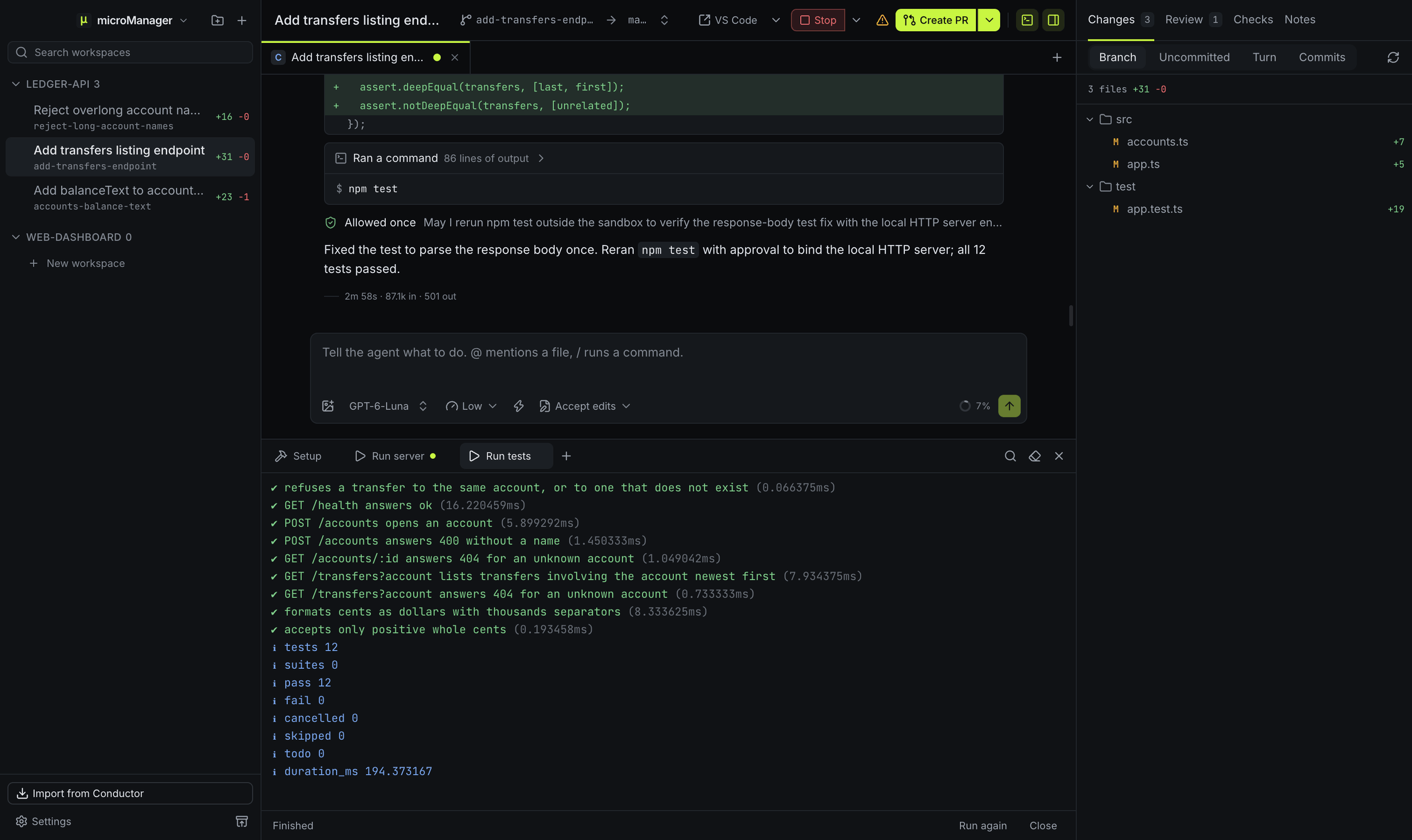
How do I run several Codex agents in parallel?
Create one workspace per task and pick Codex for each. Every workspace is its own git worktree and branch, so the Codex threads never edit the same files, and a workspace can hold more than one Codex chat tab. You review each one’s diff on its own and open a pull request per branch. Claude Code, Grok Build or any other agent can work in the next workspace over. See parallel agents.
How does microManager run Codex?
Each chat starts codex app-server and talks to it over standard input and output with JSON-RPC, the protocol Codex provides for apps that host it. A chat is a Codex thread: microManager starts or resumes the thread, sends your messages as turns, streams the replies and tool activity into the chat, and can interrupt a turn. If the app-server cannot be used, microManager falls back to codex exec --json.
Which codex does it run?
The one on your login shell’s PATH, or the path you set in Settings → Agents. When codex is the npm launcher script, microManager runs the native Codex binary the package installs beside it. If you set a custom Codex path in Conductor, the import carries it over.
How do approvals work?
When Codex asks before running a command or applying a change, a card in the chat shows the request with Allow once, Allow for this session and Reject. The mode picker sets Codex’s sandbox: Ask first lets it write in the workspace and asks for anything more, Accept edits also approves its file changes for you, Plan keeps it read-only, Auto lets Codex’s own reviewer answer its requests, and Bypass permissions gives it full access with no approvals.
Which models and reasoning levels can I use?
The model picker lists the models Codex has cached in ~/.codex/models_cache.json from the moment the app starts, refreshed from the app-server once a Codex chat runs, and takes any model id you type. The model and effort in your ~/.codex/config.toml become the profile’s defaults when you have not chosen others. Effort goes from low through medium, high, xhigh and max to ultra, and the picker offers the levels the chosen model supports.
What tools does Codex get from microManager?
microManager adds its micromanager MCP server to the Codex session through Codex’s own configuration flags, connected through a small stdio bridge to a local endpoint that only that session’s token can use. Codex can then ask you questions, read the workspace diff, leave review comments and read terminal output. See MCP tools.
Is my Codex history kept?
Codex keeps each thread in its own session files under ~/.codex/sessions, compressing older ones to .jsonl.zst, which microManager reads too. When microManager imports a chat that has a thread id, it reads that history (up to the newest 2,000 events) and the next message resumes the same thread.
What do I need?
The Codex CLI installed and signed in, so that codex works in your terminal.