What are all the shortcuts?
| macOS | Windows and Linux | Action |
|---|---|---|
| ⌘N | Ctrl+N | New workspace |
| ⌘⇧N | Ctrl+Shift+N | New workspace on a branch that already exists or on a pull request |
| ⌘O | Ctrl+O | Add a repository |
| ⌘T | Ctrl+T | New chat tab in the current workspace |
| ⌘W | Ctrl+W | Close the current chat tab |
| ⌘⇧T | Ctrl+Shift+T | Reopen the chat tab you closed last |
| ⌘1 … ⌘9 | Ctrl+1 … Ctrl+9 | Jump to a workspace by its position in the sidebar |
| ⌃Tab / ⌃⇧Tab | Ctrl+Tab / Ctrl+Shift+Tab | Next or previous chat tab |
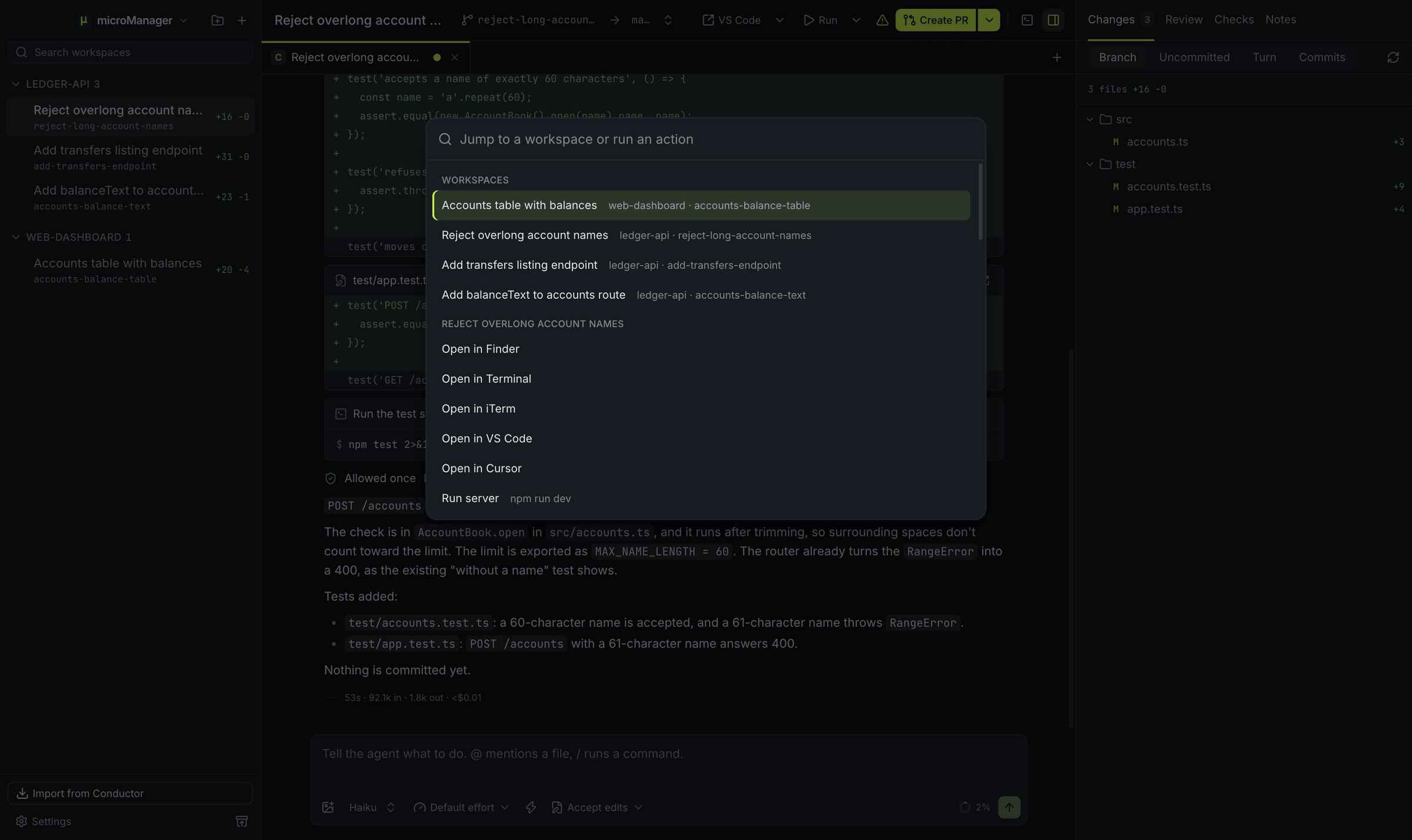
| ⌘K | Ctrl+K | Command palette: jump to a workspace or run an action |
| ⌘B | Ctrl+B | Show or hide the sidebar |
| ⌘J | Ctrl+J | Show or hide the terminal drawer |
| ⌘⇧E | Ctrl+Shift+E | Show or hide the Changes panel |
| ⌘⇧D | Ctrl+Shift+D | Open the diff viewer on the first changed file, or close it |
| ⌘⇧P | Ctrl+Shift+P | Create a pull request |
| ⌘⌥R | Ctrl+Alt+R | Ask an agent to review the workspace’s changes |
| ⌘⇧A | Ctrl+Shift+A | Go to the next workspace that needs you |
| ⌘⇧O | Ctrl+Shift+O | Open the workspace in your default app: the one you chose, else the first editor installed |
| ⌘, | Ctrl+, | Settings |
| ⌘/ | Ctrl+/ | List every shortcut |
| Esc | Esc | Stop the running turn (when the message box is focused and empty) |
| Enter or ⌘Enter | Enter or Ctrl+Enter | Send the message (Settings → General → Send messages with chooses which) |
On a Mac, ⌘ is Command, ⌃ is Control and ⇧ is Shift. Menus show the keys for the system you are on.
What can the command palette do?
⌘K (Ctrl+K on Windows and Linux) opens a search box that jumps to any workspace by name and runs actions: new workspace, new tab, start or stop a run script, run the setup script again, create a pull request or open its checks, open the workspace in another app, pin it, set its status, copy its branch name, archive it, open a Settings section, switch the theme and show or hide the panels.
How do I choose whether Enter sends a message?
In Settings → General → Send messages with, choose Enter sends (Shift+Enter starts a new line) or ⌘Enter sends (Ctrl+Enter on Windows and Linux; Enter starts a new line).
How do I stop an agent quickly?
Press Esc while the message box is focused and empty. A message you send while the agent is working waits in a queue above the message box; choose Send now on it to interrupt the turn and send it straight away.